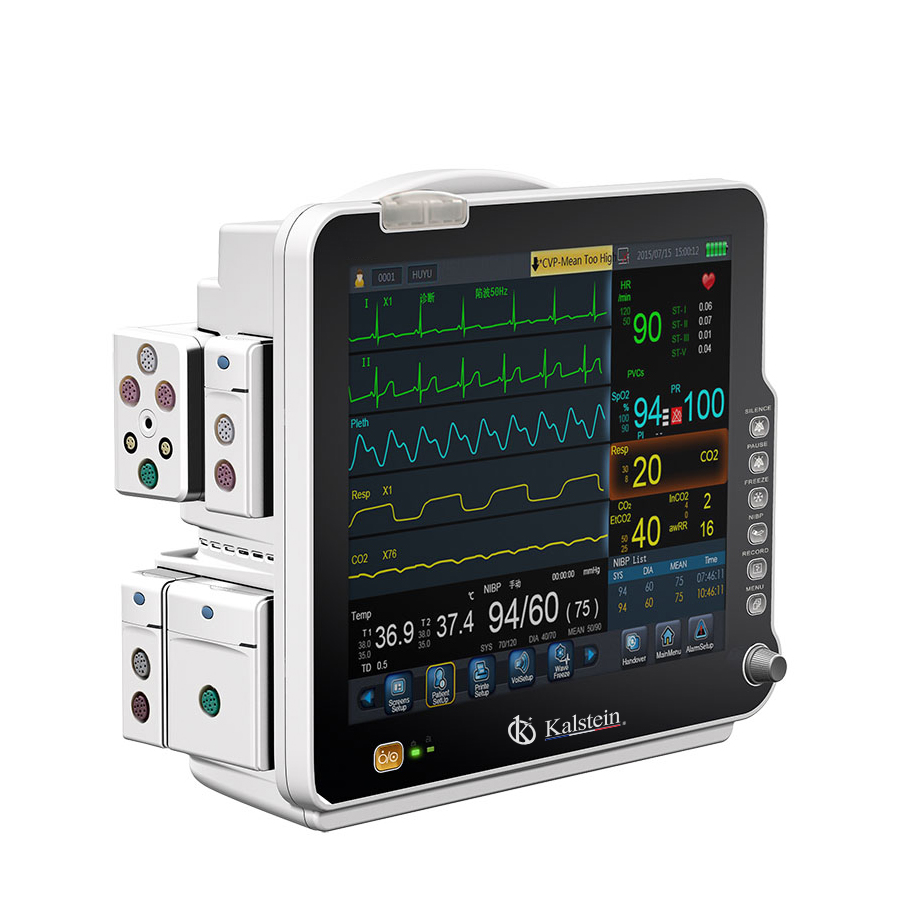
Understanding Site Requirements and Environmental Conditions for the YR02177 Patient Monitor
The YR02177 Patient Monitor is an advanced piece of medical equipment designed for use in various healthcare environments, including ICUs and operating rooms. Understanding the necessary site requirements and environmental conditions is crucial for ensuring optimal performance and reliability. This article delves deep into the specific conditions that influence the functionality of the YR02177, providing a comprehensive guide for healthcare professionals and facilities.
Technical Specifications of the YR02177 Patient Monitor
| Model | YR02177 |
|---|---|
| Brand | Kalstein |
| Category | Patient Monitor |
| Price (USD) | 2068.00 |
| Gross Weight | 8 kg |
| Dimensions | N/A |
| Package Size | 57 x 39 x 53.5 cm |
Environmental Conditions for the YR02177
For the YR02177 to operate effectively, specific environmental conditions must be maintained. These conditions relate to temperature, humidity, and electrical specifications.
Temperature Range
The YR02177 should function optimally within a temperature range of 10°C to 40°C. Operating outside this range can lead to malfunctioning or inaccurate readings. Facilities should regularly monitor ambient temperatures to ensure they remain within this limit.
Humidity Levels
The recommended relative humidity for the YR02177 is between 30% and 75%. Humidity levels outside of this range can affect the performance of the monitor, potentially leading to incorrect measurements or equipment failure. Often, dehumidifiers or air conditioning systems can assist in maintaining appropriate humidity levels.
Electrical Specifications
The YR02177 operates on standard electrical supply specifications, typically requiring a reliable power source within a specific voltage range. Facilities should ensure that the power supply is stable, without significant fluctuations that could cause damage.
Site Preparation Checklist for the YR02177
Before installation, it is essential to prepare the site according to the specific requirements of the YR02177. Below is a checklist to ensure the proper setup of the YR02177 Patient Monitor.
| Checklist Item | Description |
|---|---|
| Check Temperature | Ensure room temperature is between 10°C and 40°C. |
| Verify Humidity | Maintain relative humidity between 30% and 75%. |
| Electrical Stability | Confirm stable power supply within required voltage. |
| Ventilation | Ensure adequate ventilation to prevent overheating. |
| Clearance Space | Allow sufficient space around the monitor for operation and maintenance. |
| Equipment Calibration | Plan for initial equipment calibration after installation. |
Installation and Setup of the YR02177
Proper installation and setup of the YR02177 are critical for ensuring accurate patient monitoring. Below are the steps for installation:
Unboxing and Initial Setup
When unboxing the YR02177, ensure all components are present. This typically includes the monitor, power cord, manual, and any additional accessories. Check for physical damage before proceeding.
Placement and Anchoring
Position the monitor at eye level for easy viewing. Ensure it is anchored securely to prevent tipping during use.
Power-Up Sequence
Connect the power cord to a stable power outlet. Power up the device and follow the on-screen instructions for setup. Ensure the system undergoes a self-check before first use.
Calibration
Perform initial calibration following the manufacturer’s guidelines. Regular calibration checks should be scheduled to maintain accuracy over time.
Common Installation Mistakes and Solutions
Understanding common mistakes can prevent installation errors that may affect the YR02177's performance. Below is a list of mistakes and solutions.
| Mistake | Solution |
|---|---|
| Incorrect Temperature Setup | Ensure the installation room temperature is within specified limits. |
| Poor Cable Management | Organize cables to avoid tripping hazards and equipment damage. |
| Failing to Calibrate Before Use | Always calibrate before the first patient is monitored. |
Frequently Asked Questions
What are the ideal environmental conditions for operating the YR02177 Patient Monitor?
The ideal environmental conditions for operating the YR02177 are a temperature range of 10°C to 40°C and a relative humidity of 30% to 75%.
How should the YR02177 be positioned during use?
The YR02177 should be positioned at eye level for optimal viewing. It must also be securely anchored to prevent any tipping or movement during use.
What is the power supply requirement for the YR02177?
The YR02177 requires a stable power supply within the specified voltage range. Make sure to check the power supply before installation.
What common mistakes should be avoided when installing the YR02177?
Common mistakes include incorrect temperature setup, poor cable management, and failing to calibrate the monitor before first use.
How can I ensure the YR02177 remains accurate over time?
Regular calibration checks and maintaining the recommended environmental conditions will help ensure the YR02177 remains accurate over time.
Are there specific accessories needed for the YR02177?
While the YR02177 comes with essential components, optional accessories may enhance its functionality in specific clinical settings.
How do I request a quote for the YR02177?
You can easily request a quote by reaching out to Kalstein directly through our contact channel for more information.
If you are looking for a fusion of innovation and quality, you have come to the right place. At Kalstein, we offer you the luxury of exploring our exclusive catalog of laboratory equipment. We manufacture every device to the highest standards of excellence. Our intuitive and seamless online purchasing channels are designed for your convenience, securing the most competitive prices. Hesitate no longer — we bring science to life, it is time to become part of our community.