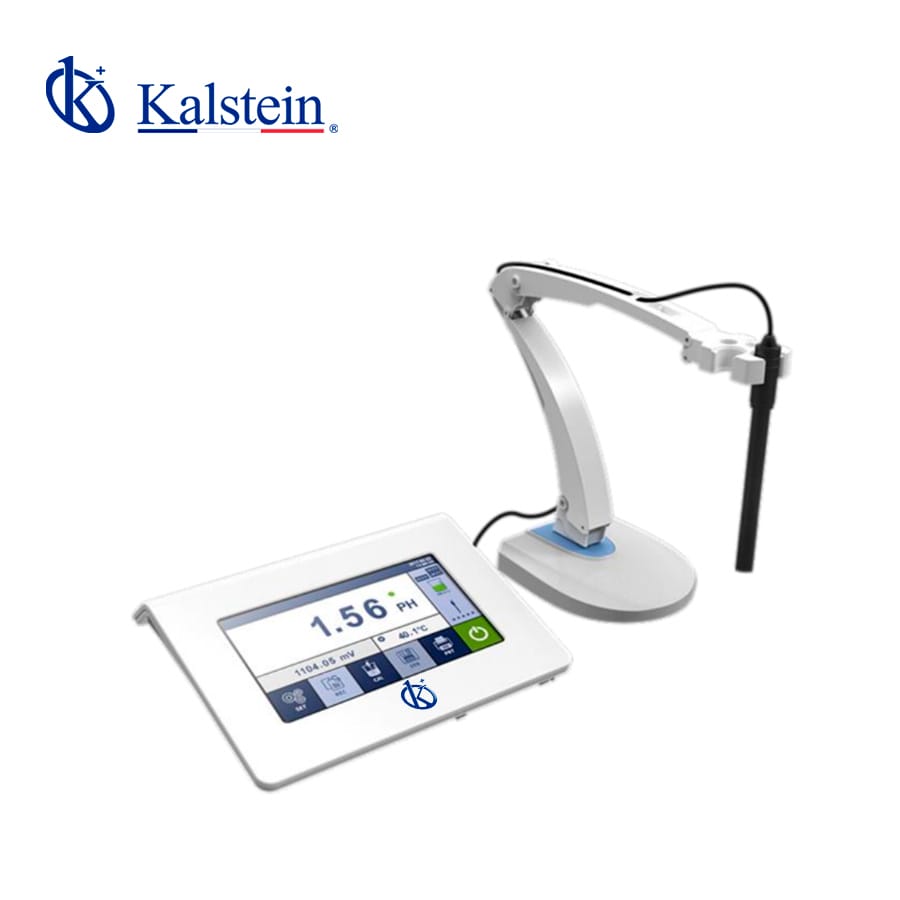
Troubleshooting Common Errors with the YR01825 pH/Ion Meter
The YR01825 pH/Ion Meter is an advanced measurement device designed for precision in various laboratory applications. However, like any sophisticated instrument, users may encounter errors that hinder its performance. This guide aims to provide a comprehensive understanding of common issues, their probable causes, and effective solutions to ensure the YR01825 operates smoothly.
Understanding the YR01825 pH/Ion Meter
The YR01825 model features a 7-inch capacitive touch screen, high resolution, and smart functionalities such as automatic calibration and data storage. Its advanced technology allows users to perform measurements under various conditions, making it a versatile tool in laboratories. Understanding the device's capabilities is essential for troubleshooting effectively.
Technical Specifications of YR01825
| Specification | Details |
|---|---|
| Model | YR01825 |
| Measuring Range (pH) | (-2.00~20.00)pH |
| Resolution (pH) | 0.01/0.001 pH |
| Accuracy (pH) | ±0.002pH |
| Auto Calibration | 1, 2, or 3 points |
| Data Storage | 1000 sets |
| Display | 7-inch colored capacitive touch screen |
| Power Supply | 12V/1A |
| IP Grade | IP54 |
Common Error Symptoms and Solutions
When using the YR01825, users may experience various error symptoms. Below is a detailed troubleshooting guide organized by symptom.
1. Equipment Does Not Power On
If the YR01825 fails to power on, follow these steps:
- Check Power Supply: Ensure that the power adapter is properly connected and that the outlet is functional.
- Inspect Cables: Look for any signs of damage on the power cable.
- Reset Device: Unplug the device for a few minutes before reconnecting.
2. Error Code E-03 Appears
Error code E-03 typically indicates a calibration issue. To resolve this:
- Recalibrate: Perform a recalibration using fresh calibration solutions.
- Check Electrode Condition: Inspect the electrode for signs of wear or contamination.
- Replace Electrodes: If the electrode is damaged, replace it according to the manufacturer’s guidelines.
3. Inconsistent Readings
Inconsistent readings can occur due to several factors:
- Temperature Fluctuations: Ensure the device is operating within the recommended temperature range.
- Electrode Calibration: Regularly calibrate the electrode to maintain accuracy.
- Sample Contamination: Use clean containers and reagents to avoid affecting the measurement.
4. Display Malfunctions or Freezes
If the display is unresponsive or freezes, try the following:
- Software Reset: Hold down the power button to perform a soft reset.
- External Interference: Ensure there is no electromagnetic interference affecting the device.
- Contact Support: If issues persist, reach out to technical support for further assistance.
Symptom-Cause-Solution Matrix
| Symptom | Possible Cause | Recommended Solution |
|---|---|---|
| Does Not Power On | Power supply issue | Check connections and reset |
| Error Code E-03 | Calibration failure | Recalibrate with fresh solutions |
| Inconsistent Readings | Temperature variations | Ensure stable operating conditions |
| Display Freezes | Software bug | Perform a soft reset |
Frequently Asked Questions
What are the calibration requirements for the YR01825?
The YR01825 requires regular calibration using pH buffer solutions. It supports 1, 2, or 3-point calibration for precision.
How can I maintain the electrodes of the YR01825?
Electrodes should be rinsed with distilled water after use, stored properly, and replaced when signs of wear are evident.
What is the temperature range for using the YR01825 effectively?
The YR01825 operates effectively in temperatures ranging from 0°C to 100°C.
Can I connect the YR01825 to a computer?
Yes, the YR01825 has USB connectivity, allowing data transfer and integration with other software.
What should I do if I encounter an unknown error?
If an unknown error arises, consult the user manual or contact technical support for assistance.
Conclusion
Understanding and troubleshooting common errors with the YR01825 pH/Ion Meter is essential for maintaining its performance and ensuring accurate measurements. By following the guidelines provided, users can effectively address issues and enhance their laboratory operations.
If you are looking for a fusion of innovation and quality, you have come to the right place. At Kalstein, we offer you the luxury of exploring our exclusive catalog of laboratory equipment. We manufacture every device to the highest standards of excellence. Our intuitive and seamless online purchasing channels are designed for your convenience, securing the most competitive prices. Hesitate no longer — we bring science to life, it is time to become part of our community.