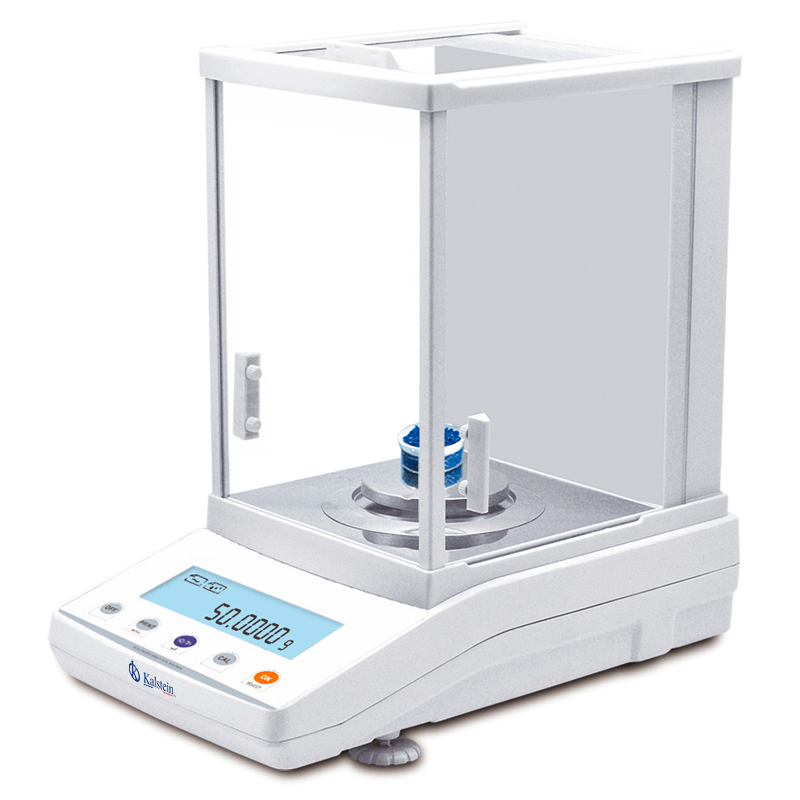
Installation and Commissioning Guide for the YR05583 Internal Calibration Analytical Balance
The YR05583 Internal Calibration Analytical Balance is designed for laboratories and industrial environments requiring absolute precision in every measurement. This comprehensive guide will cover the essential steps needed for the installation and commissioning of the YR05583, ensuring optimal performance and accuracy.
Understanding the YR05583 Analytical Balance
The YR05583 analytical balance features a robust design, with an aluminum housing and a draft shield that ensures stability and eliminates external interference. With a readability of 0.0001g and internal automatic calibration, this balance is perfect for a wide range of laboratory applications.
Unboxing and Initial Setup
Upon receiving your YR05583 balance, carefully unbox the unit. Ensure all components are included in the package:
- YR05583 Analytical Balance
- Power adapter and cord
- User manual
- Calibration weights
- Draft shield
Check for any visible damages during transport. Once confirmed, proceed with the initial setup.
Site Requirements for Installation
To ensure optimal performance of the YR05583, follow these site preparation guidelines:
- Temperature: 15-35°C
- Humidity: 20-80% (non-condensing)
- Vibration: Minimize vibrations from nearby machinery
- Electrical: Ensure stable power supply; voltage should match specifications.
Levelling the Balance
Leveling your balance is crucial for accurate measurements. Here’s how to do it:
- Place the balance on a stable, flat surface.
- Use the built-in leveling feet to adjust each corner of the balance until the built-in spirit level indicates that the balance is level.
Power-Up Sequence
Once leveled, connect the power adapter and power up the device. The first-time power-up may take a few moments as the balance performs a self-check. Wait until the display shows “0.0000” indicating it’s ready for use.
First-Run Calibration
Before performing any measurements, execute the first-run calibration:
- Access the setup menu on the balance.
- Select the calibration option and follow prompts to use the calibration weights.
- Complete the calibration and ensure the balance returns to “0.0000”.
Common Setup Mistakes
Here are some common mistakes to avoid during setup:
- Improper leveling can lead to inaccurate measurements.
- Operating in extreme temperatures or humidity can affect performance.
- Neglecting to calibrate before first use can compromise measurement accuracy.
Technical Specifications of the YR05583
| Specification | Details |
|---|---|
| Model | YR05583 |
| Capacity | 220g |
| Readability | 0.0001g |
| Minimum Weight | 0.0004g |
| Repeatability | ±0.0002g |
| Stabilization Time | ≤3S |
| Dimensions | 340x215x350mm |
| Weight | 11kg |
Frequently Asked Questions
What should I do if the YR05583 does not power on?
If the balance does not power on, check the power supply connection and ensure the unit is plugged into a functioning outlet. Verify the power adapter is in good condition and try resetting the device.
How often should I calibrate the YR05583?
It is recommended to calibrate the YR05583 before each use or at least once a day to ensure the accuracy of measurements, especially for critical applications.
What are the advantages of internal calibration in the YR05583?
The internal calibration feature provides convenience, as it eliminates the need for manual adjustments. This ensures consistent accuracy and performance over time.
Can the YR05583 be connected to a printer?
Yes, the YR05583 can be connected to a printer via an optional USB or RJ45 connection, enabling easy documentation of measurement results.
What is the maximum capacity of the YR05583?
The maximum capacity of the YR05583 is 220g, making it suitable for a variety of measurement tasks in laboratory settings.
How can I ensure the longevity of the YR05583?
To maximize the lifespan of the YR05583, perform regular calibrations, keep the unit clean and free from vibrations, and always use the draft shield when taking measurements.
Where can I request a quote for the YR05583 analytical balance?
You can request a quote for the YR05583 analytical balance through our dedicated online platform to explore pricing and options.
If you are looking for a fusion of innovation and quality, you have come to the right place. At Kalstein, we offer you the luxury of exploring our exclusive catalog of laboratory equipment. We manufacture every device to the highest standards of excellence. Our intuitive and seamless online purchasing channels are designed for your convenience, securing the most competitive prices. Hesitate no longer — we bring science to life, it is time to become part of our community.