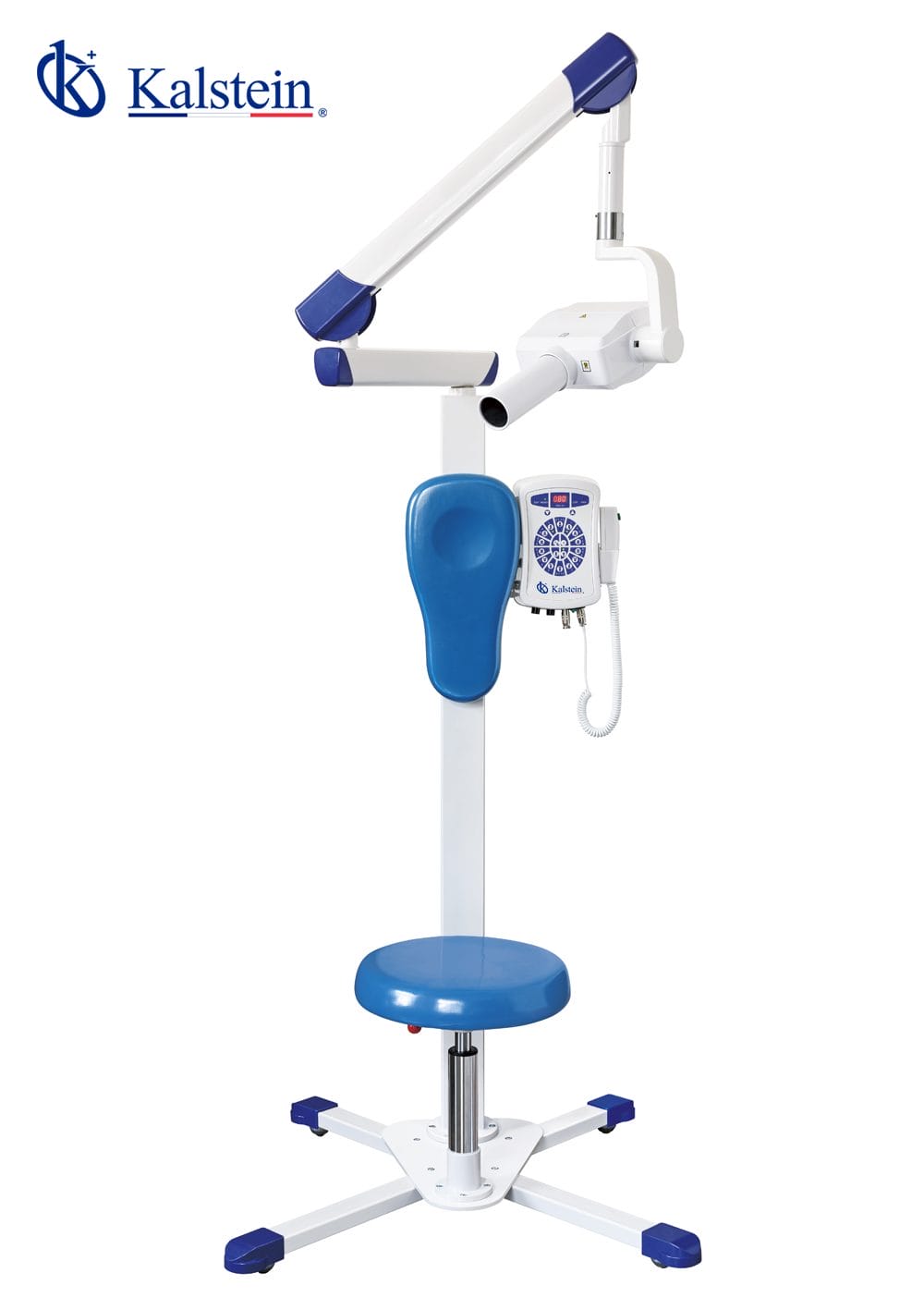
Installation and Commissioning Guide for the Digital Veterinary Intraoral X-ray System YR06196
The Digital Veterinary Intraoral X-ray System YR06196 represents a significant advancement in dental imaging for veterinary practices. This guide is designed to assist practitioners in successfully installing and commissioning the system, ensuring that the setup is optimized for both performance and safety. The YR06196 is equipped with state-of-the-art technology, including intelligent microcomputer control, low radiation exposure, and enhanced imaging capabilities.
Unboxing and Initial Setup
Upon receiving the YR06196, it is crucial to follow an organized unboxing and setup procedure. Carefully check the package for any visible damage and ensure all components are accounted for according to the manufacturer’s checklist.
- Equipment: Check for the main X-ray unit, cable connections, and appropriate accessories.
- Documentation: Ensure user manuals and warranty information are included.
- Safety Gear: Confirm that necessary safety equipment is present, including lead aprons and barriers.
Next, locate an appropriate space for installation, ensuring that the area meets the required specifications for power and ventilation.
Anchoring and Leveling the YR06196
Proper anchoring and leveling of the YR06196 are critical to the functionality and safety of the unit. The X-ray system should be placed on a sturdy, level surface. Use a spirit level to ensure the unit is even. If necessary, adjust the legs to achieve perfect leveling.
During installation, make sure the unit is securely anchored to prevent movement during operation. This can be achieved through the provided mounting brackets which should be affixed to the wall or floor as per the installation manual.
Electrical Requirements and Power-Up Sequence
The YR06196 requires a power supply of 220V±10%, 50HZ, and 1KVA. Before connecting the unit, ensure that the electrical outlet is correctly grounded to prevent electrical hazards.
The power-up sequence involves:
- Connect the main power cord to the unit and the electrical outlet.
- Turn on the main switch located on the back of the unit.
- Wait for the system to initialize, which should take approximately 2 minutes.
- Observe the indicator lights for any errors during startup.
First-Run Calibration and Testing
Once the unit is powered up, perform a first-run calibration. This ensures that the system is correctly configured and ready for imaging tasks. To do this:
- Access the calibration settings via the digital interface.
- Follow on-screen instructions to adjust the parameters such as tube voltage and current.
- Conduct a test shot using a calibration phantom to validate image quality and ensure the settings are correct.
After calibration, review the generated images for clarity and consistency.
Common Setup Mistakes to Avoid
During installation and commissioning, several common mistakes may occur. Being aware of these can help ensure a smoother process:
- Ignoring power supply specifications: Always verify voltage and current requirements before connecting.
- Improper leveling: Neglecting to level the unit can lead to inaccurate readings.
- Bypassing calibration: Skipping this step can cause suboptimal image quality.
Technical Specifications of the YR06196
| Specification | Details |
|---|---|
| Model | YR06196 |
| Power Supply | 220V±10%, 50HZ, 1KVA |
| Tube Voltage | 70 kVp |
| Tube Current | 8 mA |
| Focus Size | 0.8 mm |
| Total Filtration | 2.5 mmAL |
| Exposure Time | 0.2-4s |
| Leak Radiation | Outside one meter ≤ 0.002Mg/h |
| Package Size | 152×57×26 cm |
| Net Weight | 57 kg |
| Chip Type | CMOS APS |
| Fiber Optic Plate | Yes |
| Scintillator | GOS |
| Dimension | 39×28.5 mm |
| Active Area | 30×22.5 mm |
| Pixel Size | 18.5µm |
| Pixels | 1600×1200 |
| Resolution | 14-20Ip/mm |
| Power Consumption | 600 mW |
Frequently Asked Questions
What are the safety features of the YR06196 Digital Veterinary Intraoral X-ray System?
The YR06196 is equipped with low radiation exposure technology, which minimizes risks to both patients and staff. Additionally, it includes intelligent microcomputer control for remote exposure management and effective high-voltage protection.
How can I ensure optimal image quality with the YR06196?
Optimal image quality can be achieved through proper calibration, regular maintenance, and using the appropriate exposure settings. Ensure that the focus size and filtration levels are correctly set according to the specific imaging requirements.
What types of dental films are compatible with the YR06196?
The YR06196 is compatible with various types of dental films, including Lightroom dental films. For best results, refer to the manufacturer's specifications regarding film selection and processing methods.
What is the procedure for troubleshooting error codes on the YR06196?
Troubleshooting should start with referencing the user manual, which includes a detailed list of error codes, their causes, and steps for resolution. Common error codes may relate to power supply issues, exposure settings, or connectivity problems.
How often should the YR06196 be serviced?
Regular servicing is recommended every 6-12 months, depending on usage frequency. Regular checks ensure that the system remains calibrated and in optimal working condition, minimizing downtime and avoiding costly repairs.
Can the YR06196 be connected to digital imaging systems?
Yes, the YR06196 can be connected to digital imaging systems, which enhances its diagnostic capabilities and simplifies the process of storing and retrieving images for clinical purposes.
Where can I request a quote for the YR06196?
You can request a quote for the YR06196 through the inquiry channels available on our platform. Our team will provide a competitive pricing based on your specific needs.
If you are looking for a fusion of innovation and quality, you have come to the right place. At Kalstein, we offer you the luxury of exploring our exclusive catalog of laboratory equipment. We manufacture every device to the highest standards of excellence. Our intuitive and seamless online purchasing channels are designed for your convenience, securing the most competitive prices. Hesitate no longer — we bring science to life, it is time to become part of our community.