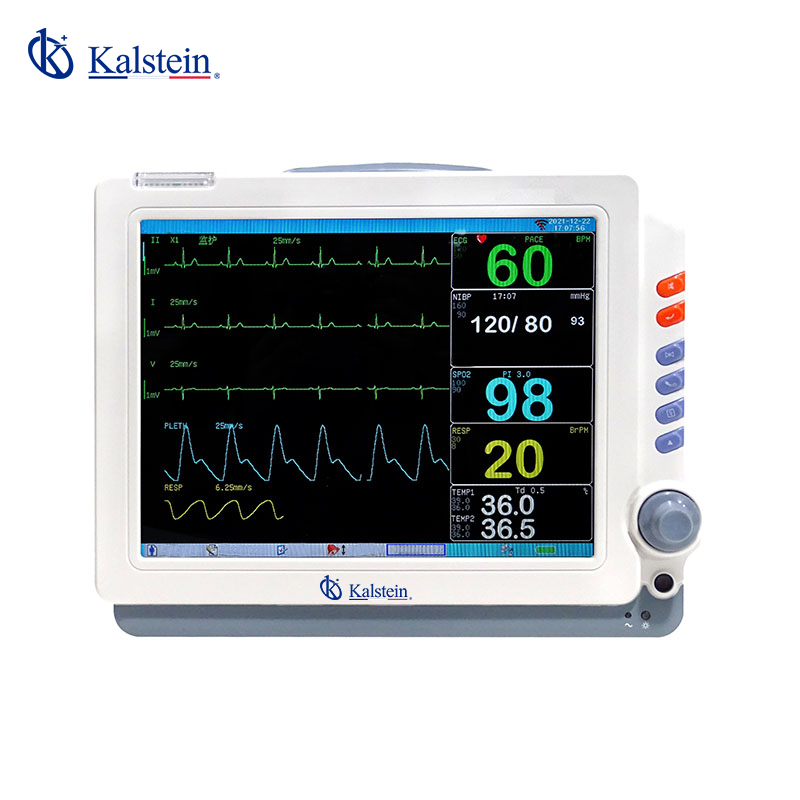
Environmental Conditions and Installation Requirements for the YR02171 Patient Monitor
The YR02171 Patient Monitor is a versatile and sophisticated device designed for various medical applications. To ensure its optimal performance, understanding the environmental conditions and installation requirements is crucial. This article delves into these essentials, providing you with a comprehensive guide to successfully operating the YR02171 in different settings.
Technical Specifications of the YR02171
| Model | Brand | Category | Price (USD) | Weight (kg) |
|---|---|---|---|---|
| YR02171 | Kalstein | Patient Monitor | 358.00 | 3.2 |
Understanding Environmental Conditions
The YR02171 Patient Monitor operates effectively only within specific environmental parameters. Here we outline the key conditions that must be maintained to guarantee its functionality:
Temperature Range
The device is designed to function optimally within a temperature range of 10°C to 40°C. Operating below or above these limits can lead to inaccurate readings.
Humidity Levels
Humidity levels should be maintained between 30% and 75% relative humidity. Excessive moisture can damage electronic components, while too little humidity can lead to static electricity buildup.
Power Supply Specifications
The YR02171 requires a stable power supply, preferably between 100-240 V AC at 50/60 Hz. Unstable voltage can cause system errors and potential equipment failure.
Ventilation and Vibration Control
It is essential to ensure adequate ventilation around the monitor to prevent overheating. Additionally, the device should be installed in areas free from excessive vibration, which could affect its operation.
Installation Requirements
Proper installation is critical for ensuring accurate measurements and reliable monitoring. The following installation guidelines should be followed:
Unboxing and Initial Setup
Upon unboxing, check for all components including the monitor, power supply, and user manual. Ensure the device is placed on a stable surface to prevent tipping.
Anchoring and Leveling
For optimal readings, the monitor should be leveled. Use a spirit level to confirm that the device is not tilted. If necessary, use adjustable feet to level the unit.
First Power-Up Sequence
Connect the power supply and turn on the monitor. Follow the user manual for the power-up sequence, ensuring that all startup checks are completed.
Network Setup
For devices that support network connectivity, ensure that the monitor is connected to a reliable wired or wireless network. This will facilitate data transmission and monitoring capabilities.
Common Installation Mistakes
Understanding common pitfalls can help ensure a seamless installation process. Here are a few mistakes to avoid:
- Incorrect Power Supply: Using a voltage outside the specified range can damage the monitor.
- Poor Ventilation: Blocking ventilation openings can lead to overheating.
- Improper Leveling: A tilted monitor can lead to inaccurate readings.
Site Preparation Checklist
| Requirement | Specification |
|---|---|
| Temperature | 10°C - 40°C |
| Humidity | 30% - 75% |
| Power Supply | 100-240 V AC, 50/60 Hz |
| Ventilation | Free airflow around the device |
| Vibration | Avoid exposure to high vibrations |
Frequently Asked Questions
What are the optimal environmental conditions for the YR02171 Patient Monitor?
The YR02171 operates optimally in temperatures between 10°C to 40°C and humidity levels between 30% and 75%.
How do I ensure stable operation of the YR02171 Patient Monitor?
Ensure that the power supply is stable within the voltage range of 100-240 V AC and that the device is placed in an area with adequate ventilation and low vibration.
What should be included in the initial installation process of the YR02171?
The initial setup includes unboxing, leveling the monitor, connecting to a power supply, and configuring the network settings if applicable.
What are common issues that can arise from improper installation of the YR02171?
Common issues include incorrect power supply leading to device failure, overheating due to poor ventilation, and inaccurate readings caused by an unlevel monitor.
Can I use the YR02171 in high-humidity environments?
It is advisable to operate the YR02171 only in areas with humidity levels between 30% and 75% to prevent damage to the device.
How can I troubleshoot installation issues with the YR02171?
To troubleshoot, check the power supply specifications, ensure proper leveling and ventilation, and verify network connections if applicable.
Where can I request a quote for the YR02171 Patient Monitor?
You can request a quote for the YR02171 Patient Monitor through our official channels.
If you are looking for a fusion of innovation and quality, you have come to the right place. At Kalstein, we offer you the luxury of exploring our exclusive catalog of laboratory equipment. We manufacture every device to the highest standards of excellence. Our intuitive and seamless online purchasing channels are designed for your convenience, securing the most competitive prices. Hesitate no longer — we bring science to life, it is time to become part of our community.